Strengthen your work environment and boost employee engagement with TELUS Health Engage. Create challenges across four categories: Steps, Exercise, Knowledge, and Mindfulness to support different aspects of employee health and wellbeing, build team spirit, and increase motivation.
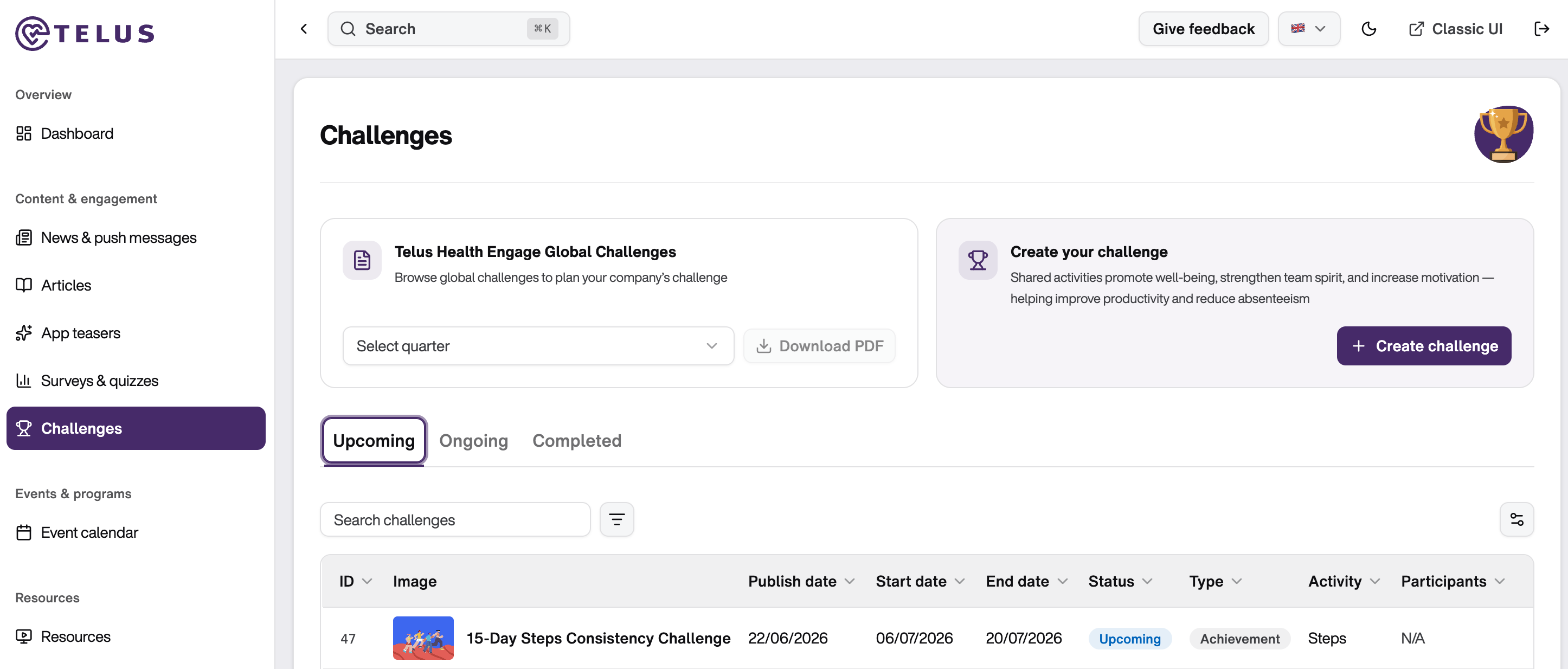
Navigate to Content & Engagement → Challenges. On the left side, you'll see TELUS Health Engage global challenges planned for your selected quarter. You can:
View the quarterly roadmap
Download a PDF overview of missions and challenges to share with your team
Use this to plan your own challenges strategically
→ Note: Only one challenge can be created per quarter.
Create a Challenge
Click "+ Create Challenge" on the right side of the screen. A form will guide you through three steps.
⚠️ Important: Plan challenges at least 2 weeks in advance. Processing time is approximately 2 weeks.
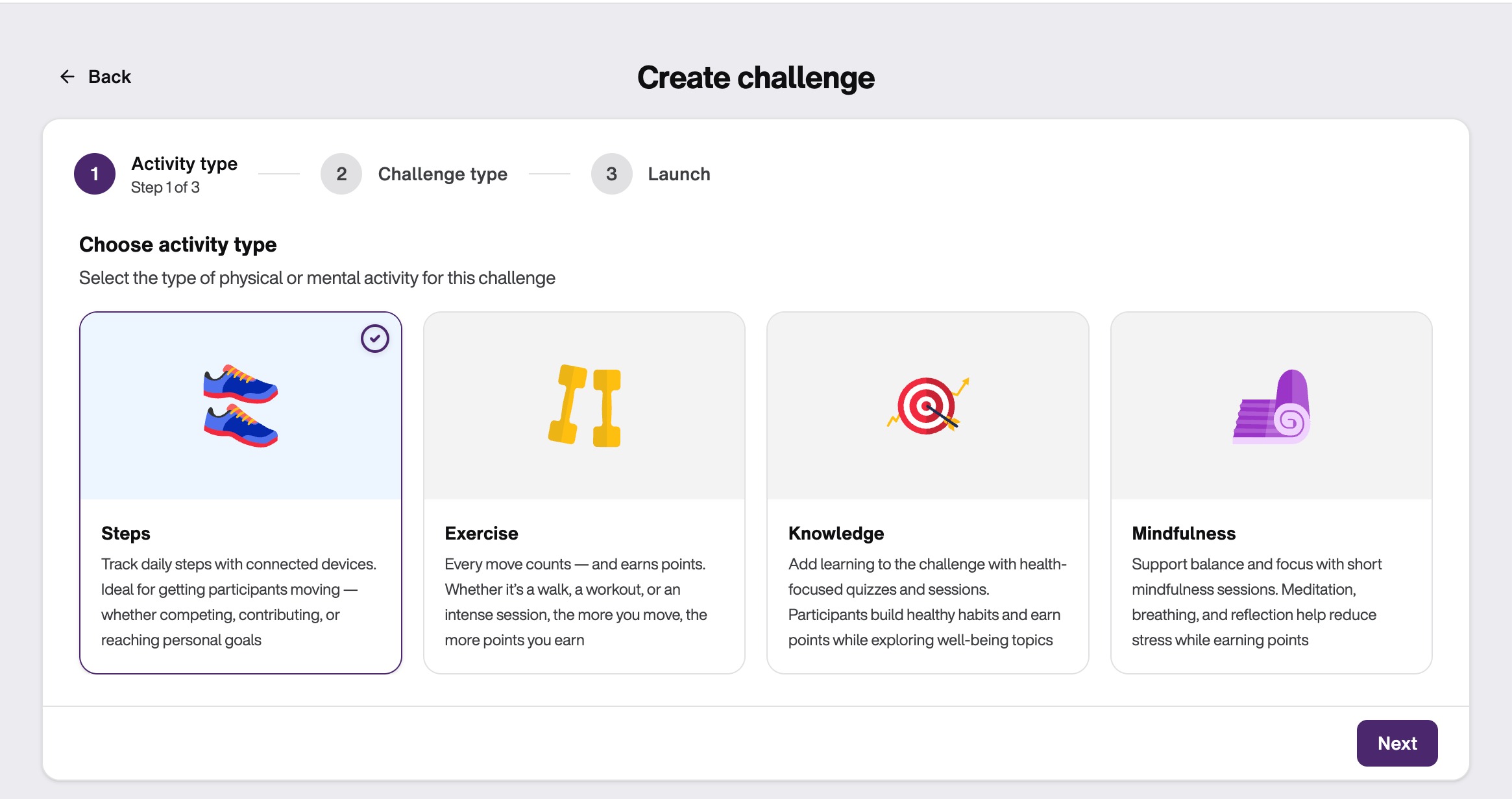
Step 1: Activity Type
Select your challenge category. Note: You cannot combine different challenge types in a single challenge.
Challenge categories:
Steps → Track steps using connected devices (max. 40,000 steps/day)
Exercise → Complete training sessions and earn points
Knowledge → Finish educational units and earn points
Mindfulness → Complete mindfulness sessions and earn points
Step 2: Challenge type
Choose how your challenge will be structured:
Competitive
Available for: Steps, Exercise, Knowledge
All participants compete individually for top rankings
Top performers appear in the app within 24 hours after the challenge ends (ranked by steps or exercise/educational points)
Collective
Available for: Steps, Exercise
Participants work together to reach a shared goal you define
For exercise: Points from global units on the app or device-recognized activities count
For steps: Recommended baseline is 7,500 steps per employee per day (assuming 40% average participation)
Achievement
Available for: Steps, Exercise, Knowledge, Mindfulness
Each participant follows a defined daily goal:
Steps: Target a number of daily steps (recommended: 5,000-10,000 steps per day)
Exercise: Points earned from completed exercise sessions from the TELUS Health Engage App, connected tracking devices that recognize exercise activities or from health apps on your phone connected to TELUS Health Engage App.
Mindfulness: Recommended 10-50 points per day (points-based on global mindfulness sessions)
Knowledge: Recommended 10-50 points per day (points-based on global educational sessions)
Then, select a suitable image for the challenge. On the right side of the screen you will have a preview of the challenge and how it will be shown on the app for your employees.
Step 3: Launch Details
Customize your challenge with the following information:
Title (max. 50 characters)
Start with your company name for easy identification (e.g., "Company Name Steps Challenge")
Description (max. 500 characters)
Include: the goal, prizes/incentives, expectations, and requirements (e.g., tracker needed)
Keep it motivating and engaging to encourage participation
While creating your challenge details, a live preview is displayed on the right side of the screen. You can switch between feed or details preview modes. Although character limits are shown in the form, use the live preview as your primary guide. It provides the best indication of how the final challenge details will appear on the app for your employees and helps ensure that your content is displayed clearly and effectively. 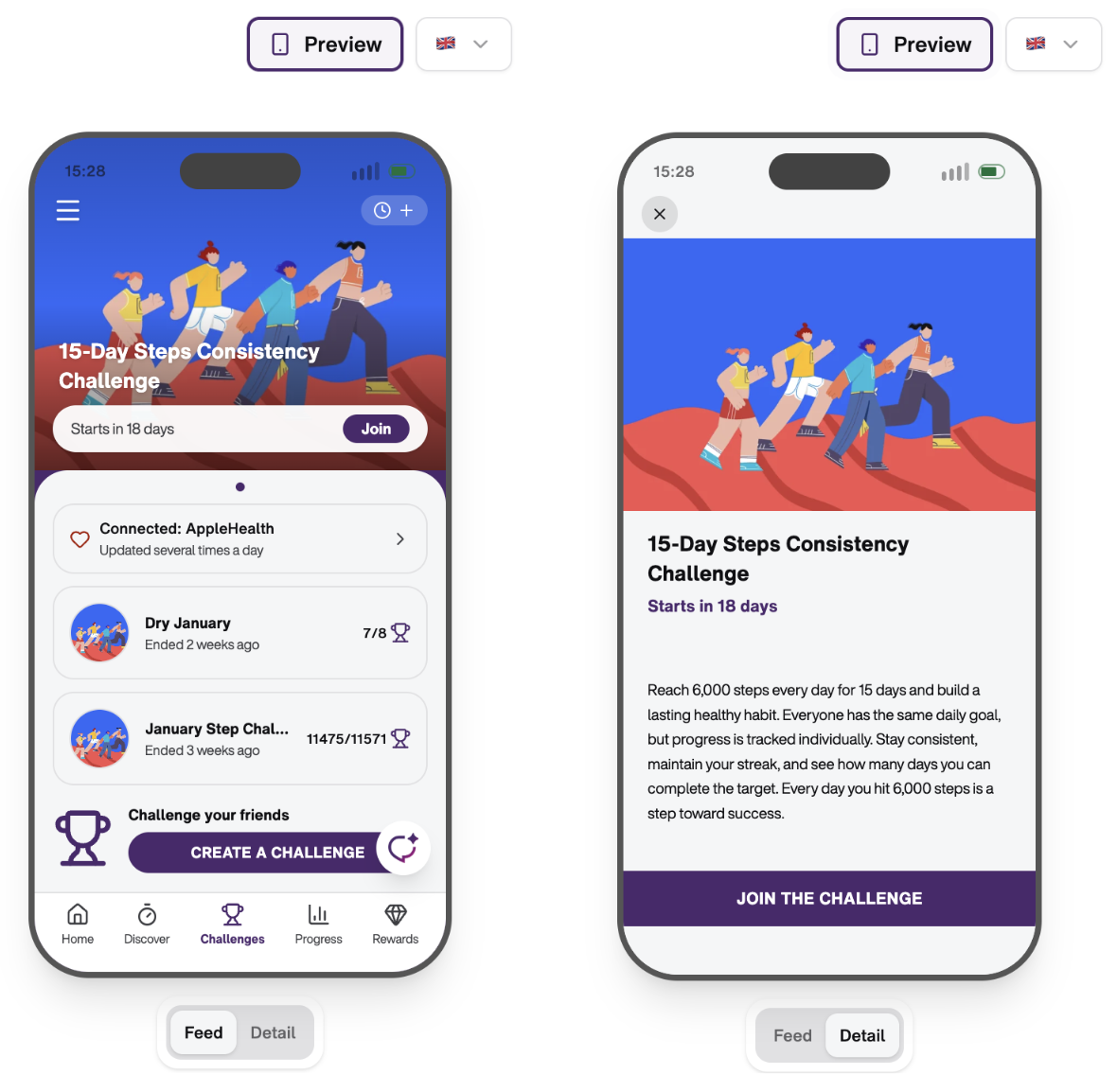 Schedule
Select the quarter from the dropdown menu
Set start and end dates
Duration Recommendations:
Choose between 3-30 days
1-2 weeks is optimal for engagement
Automated communications:
News sent out 7 days before start
Push notifications sent on start and end dates
Click "Done" to schedule your challenge. Once completed, your challenge will appear in the Challenges overview under "Upcoming," "Ongoing," or "Completed."
To edit or delete a challenge, use the three-dot menu next to your challenge.
Good to know:
Team Challenges and Bike Challenges are not currently available in the self-service feature. Contact your TELUS Health Engage customer manager to plan these.
Challenge order in the app is based on creation date (newest first)
Challenges cannot be manually pinned to a specific position
There is no limit to the number of app users who can participate in a challenge.
Best Practices for Challenge Success
- Set clear, realistic goals based on your audience and duration
- Announce internally in advance via newsletter, email, or intranet
- Include incentives - small rewards significantly boost participation
- Example Challenge Description:
"Countdown is on! The (Company Name) Steps Challenge is coming! In one week, our exciting Steps Challenge begins. Let's challenge each other to collect as many steps as possible. Whoever walks the most wins! Let's rock it!"
Was this article helpful?
That’s Great!
Thank you for your feedback
Sorry! We couldn't be helpful
Thank you for your feedback
Feedback sent
We appreciate your effort and will try to fix the article