Welcome to the TELUS Health Engage Backoffice, your central hub for managing and coordinating employee wellbeing initiatives across your organization. By bringing all health promotion activities together in one place, the platform helps you streamline administration, improve engagement, and maximize the impact of your wellbeing strategy.
To help you get started quickly, this tour provides an overview of the key features and recommended first steps for setting up your platform.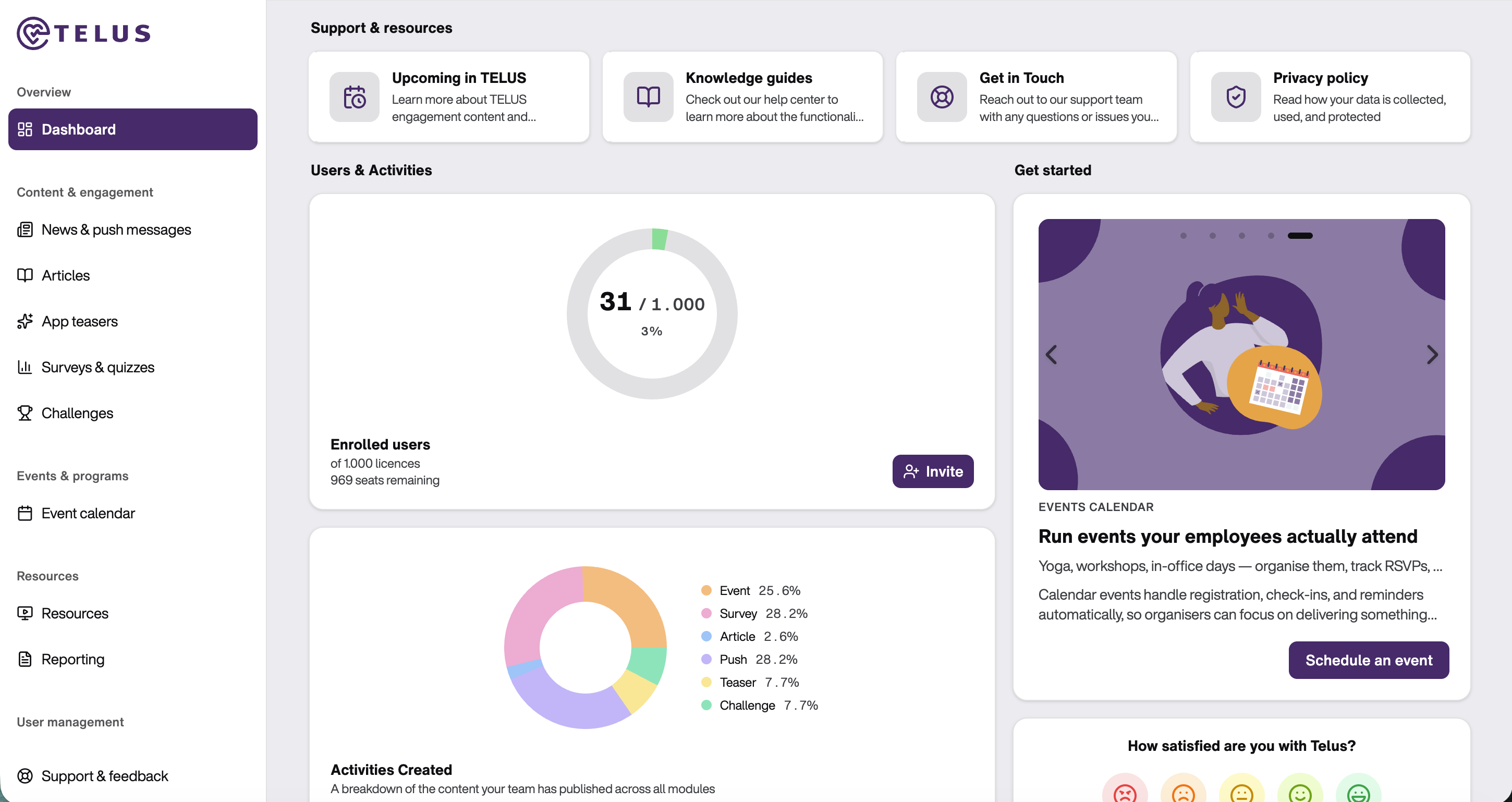
Explore the Main Areas of the Backoffice
Overview
The Dashboard provides an overview of important activities, upcoming dates, and key platform functions. It also includes quick links that help you navigate efficiently to frequently used areas.
Content & engagement
The Content & engagement section allows you to engage employees through push notifications and in-app messages. You can share news, promote events, launch surveys, and manage company challenges to encourage participation and engagement.
Events & programs
The Event Calendar helps you showcase existing wellbeing initiatives, health promotion activities, and company events. It provides employees with a central place to discover and register for relevant activities.
Resources
In Resources, you can download marketing and communication materials to support the rollout of the platform within your organization. Materials are available in all supported system languages. You will also find a QR code linking directly to the app registration page, which can be incorporated into internal communications and promotional campaigns.
The Reporting section contains comprehensive analytics tools that provide valuable insights into employee engagement, participation, and wellbeing trends. Reports are automatically generated at the end of each quarter and can be accessed at any time from this section.
User Management
Settings
Ready to start using the TELUS Health Engage Backoffice to manage your company’s health initiatives?
Was this article helpful?
That’s Great!
Thank you for your feedback
Sorry! We couldn't be helpful
Thank you for your feedback
Feedback sent
We appreciate your effort and will try to fix the article