The Resources/Documents section is a centralized hub within TELUS Health Engage packed with all the essential onboarding materials and guides admin users need to smoothly roll out the platform and drive the app user adoption across a organization.
You'll find four key folders: the Onboarding Checklist walks you through all the setup configurations you've discussed with our customer success team, the QR Code lets your employees quickly log into their company account, the Registration Poster gives you ready-made marketing materials to promote the app internally, and the User Roll-out Presentation provides a comprehensive introduction to the platform's features for your team.
Navigate to "Resources" then select the "Resources" section: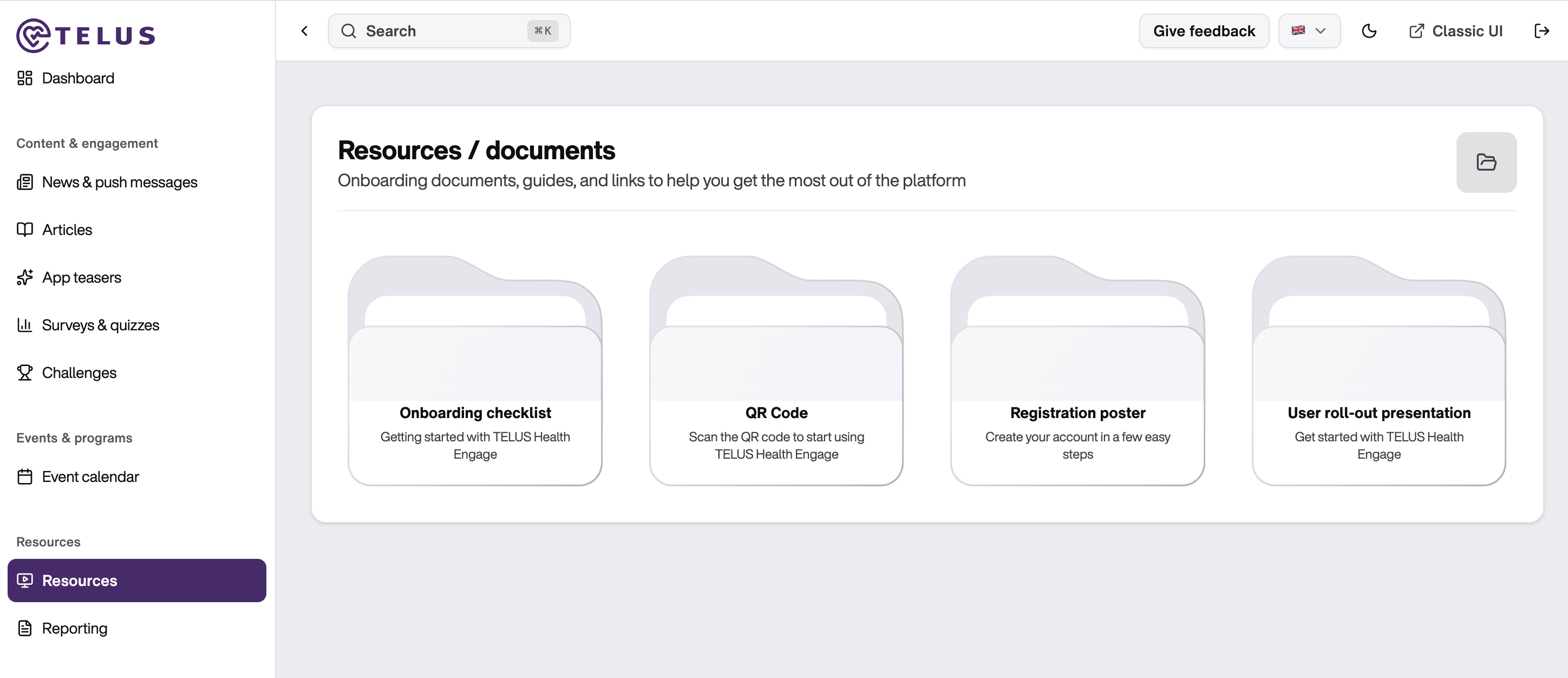
Onboarding Checklist → This is an implementation roadmap for admin users to ensure everything is set up correctly. It serves as documentation storage for all the configurations and decisions discussed between the customer success team and the admin user during onboarding. Following it ensures nothing gets overlooked during the rollout. The checklist can be shared with everyone involved in the launch so the whole team stays aligned on what needs to happen and when.
QR Code → This makes it easy for employees to get started in the TELUS Health Engage app and create their own user ID. As an admin user, these codes can be shared directly with employees who haven't joined the app yet, removing barriers to entry and streamlining the registration process.
Registration Poster → This is a ready-to use poster for admin users to promote the TELUS Health Engage app internally. The posters provide employees with a simple step-by-step registration guide from scanning the QR code to creating their account. Admin users can print and display these posters in high-traffic areas across the workplace and customize them with company branding before distribution.
User Roll-Out Presentation → This is a presentation template used to introduce the TELUS Health Engage app to employees. It walks through the main app features: mindfulness programs, movement and fitness options, wellness challenges, and the rewards system, showing how the app supports a healthier, more balanced lifestyle. During employee kick-off sessions, the presentation helps them understand what the app offers as an optional and additional benefit their employer provides, demonstrating the organization's commitment to employee health, and guides them on how to get started with the app.
Best Practices for Maximum Impact
Share the onboarding checklist with your implementation team so everyone is aligned on setup requirements.
Schedule a kick-off meeting with employees where the TELUS Health Engage team will present the app. Before the kick-off meeting, tease the benefit to employees, mention the upcoming presentation, and ask them to have their smartphones ready so they can register during the session using the QR code shown. They can also pre-download the app before attending.
Customize the registration poster with your company branding and display it across multiple touchpoints (email, intranet, Slack, Teams, notice boards) to create repeated visibility and reinforce the benefit
Was this article helpful?
That’s Great!
Thank you for your feedback
Sorry! We couldn't be helpful
Thank you for your feedback
Feedback sent
We appreciate your effort and will try to fix the article