The TELUS Health Engage Backoffice enables you to plan, manage and evaluate your company health measures in order to adapt them to the needs of your employees.
The ideal tool for this is the event calendar.
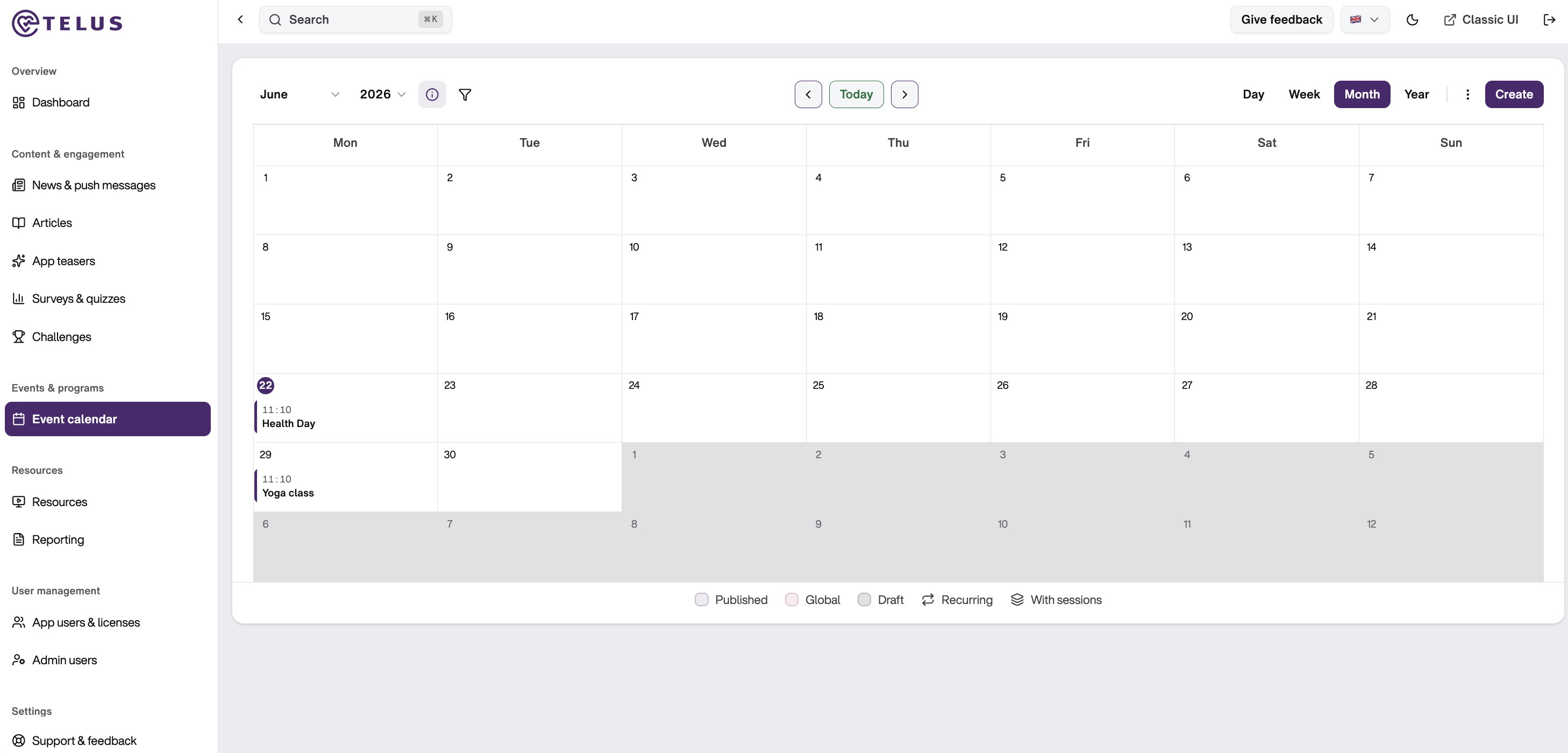
To access the event calendar, click on “Event calendar” in the left-hand menu under “Events & programs”. The dates of the events you have created yourself will now be displayed here.
You can use the buttons at the top left to filter your calendar by category. You can also share it with your colleagues. To do this, simply click on the three dots at the top right corner and tap “Share”. Now you can generate a link and share it by email, for example. You also have the option of only sharing a view for certain departments or locations if these have been created. To do this, simply select them from the list.
Various views are available in the event calendar. If you want to switch between monthly, weekly and daily views or an event overview as a list, simply use the blue buttons on the right-hand side.
Use the “<” and “>” buttons to go forward or back one year, month, week or day - depending on which calendar view is currently active. Clicking on the “Today” button takes you back to the current day.
Was this article helpful?
That’s Great!
Thank you for your feedback
Sorry! We couldn't be helpful
Thank you for your feedback
Feedback sent
We appreciate your effort and will try to fix the article